From Chaos to Consistency:
Creating the First MerusCase Design System

MerusCase is a case management system for attorneys in the SaaS B2B tech space.
Introduction
Design system - A set of reusable components and guidelines that ensure consistency across a digital product.
As the lead product designer on this initiative, I partnered with one other designer and two developers.
At the time, the product had no existing design system, and the developers had never collaborated closely with designers. We knew this would be a challenge, and we had a lot to learn.
Long-term Results
One month after launching the first feature built with the design system, our average NPS score rose from 6.4 to 8.0.
Achieved a 16.43% compound monthly growth rate in order volume within the first 5 months of use, yielding thousands of dollars in revenue.
Subsequent releases showed development speed improved by roughly 50%, cutting time to market in half.
Impact

50% Time to Market

NPS Scores Increased

16.43% CMGR

Goals
Build scalable components that modernize the UI, and support the redesign of both new and legacy features
Establish clear usage standards (documentation) to drive consistency across the platform
Enable faster feature development
Align product visuals with modern UI//UX standards
Address communication gaps between designers and developers
Problems to Solve
No centralized component library or visual consistency, leading to long go-to-market timelines
Legacy UI with inconsistent patterns and visual styles, leading to user confusion
Inefficiencies in building and maintaining the product
Design debt accumulating due to inconsistent styling
No shared language or collaboration yet between design and engineering
The Process

Research
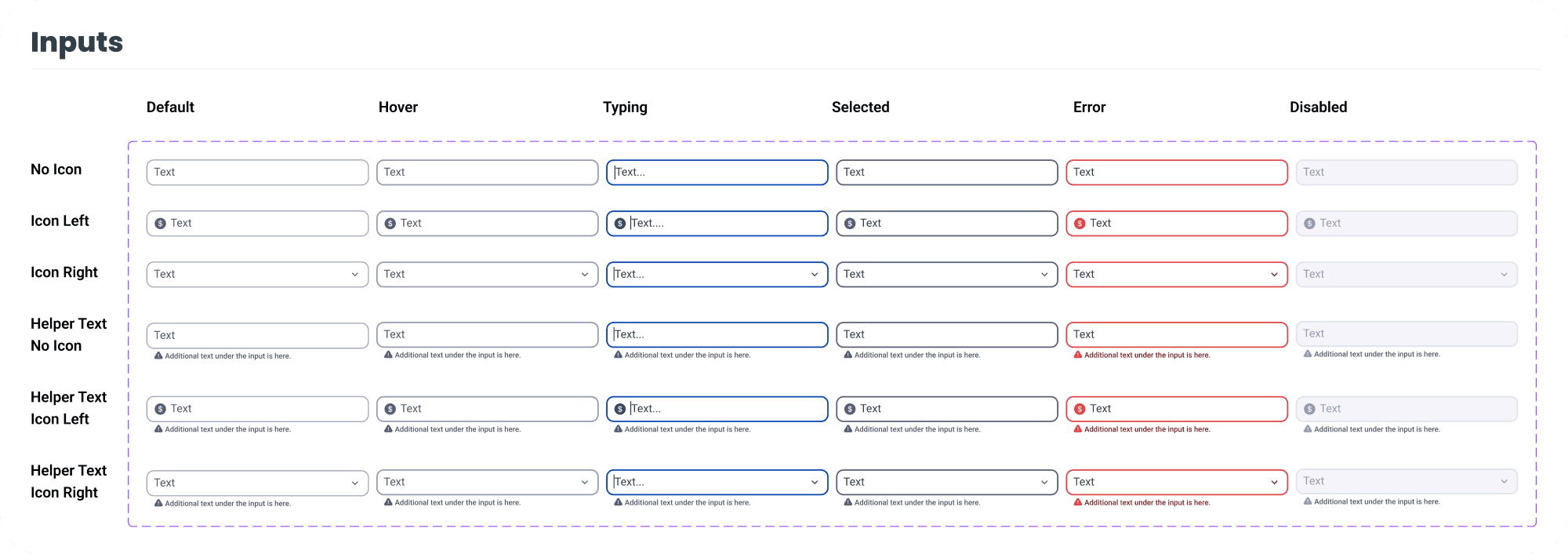
First, I researched 4 commonly used design systems, noting UI patterns, how the documentation is organized, and various states for each component (default, hover, selected, disabled, etc).

Design Audit
Next, I conducted a design audit by taking screenshots of each screen. I determined:
What components do I need? (Buttons, inputs, tooltips, dropdowns etc).
What states of each component do I need?
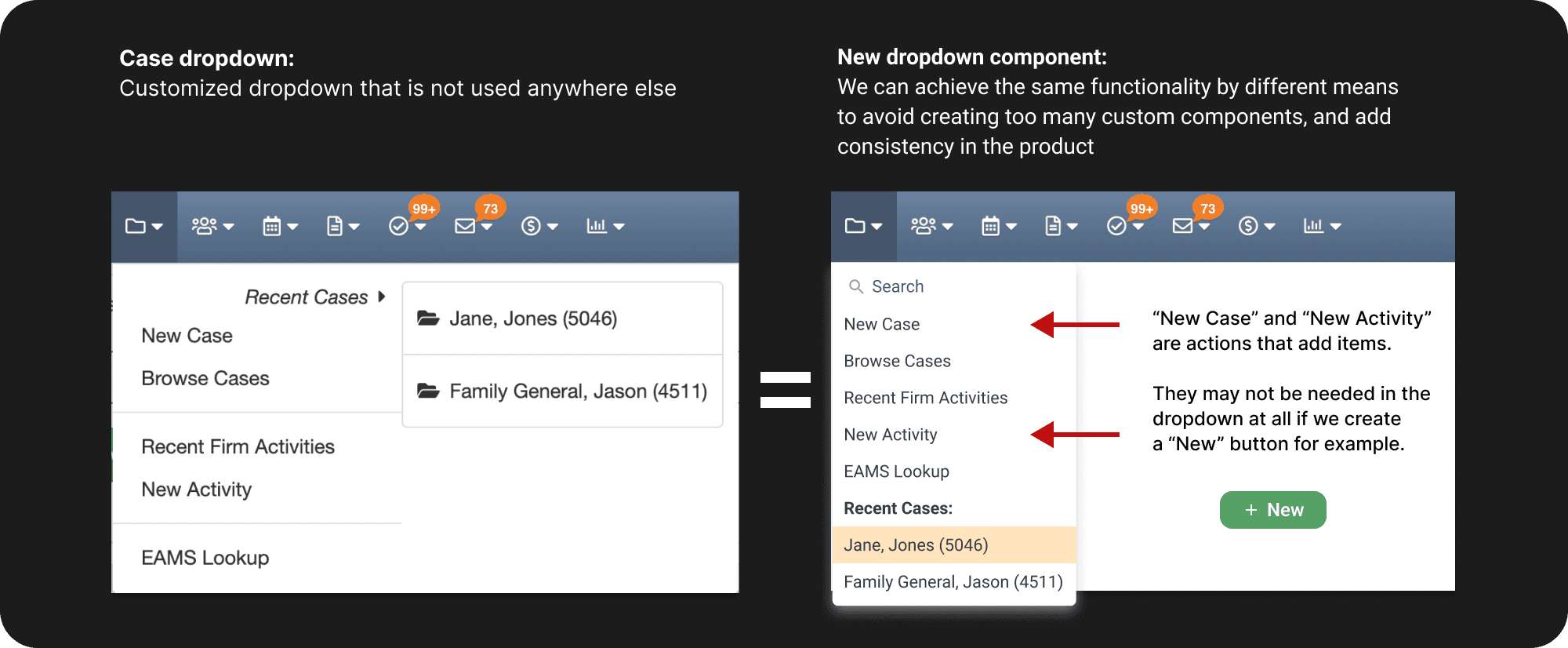
For custom-looking components, we evaluated whether a standard alternative could be used instead. For example, in the image below (showing a customized dropdown for case information and recently accessed cases) we determined that a simplified dropdown component or button could meet the same needs.
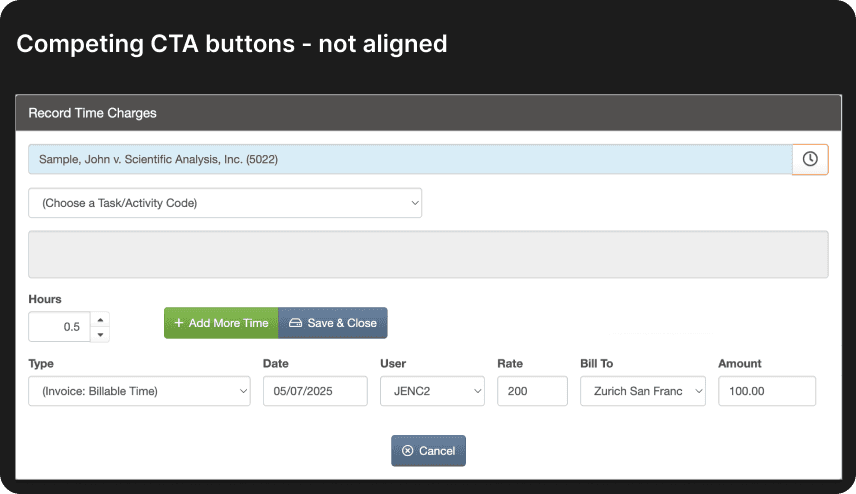
Example of a Problem and Solution - Button Inconsistencies
We wanted to use design system components to solve many inconsistencies in the product.
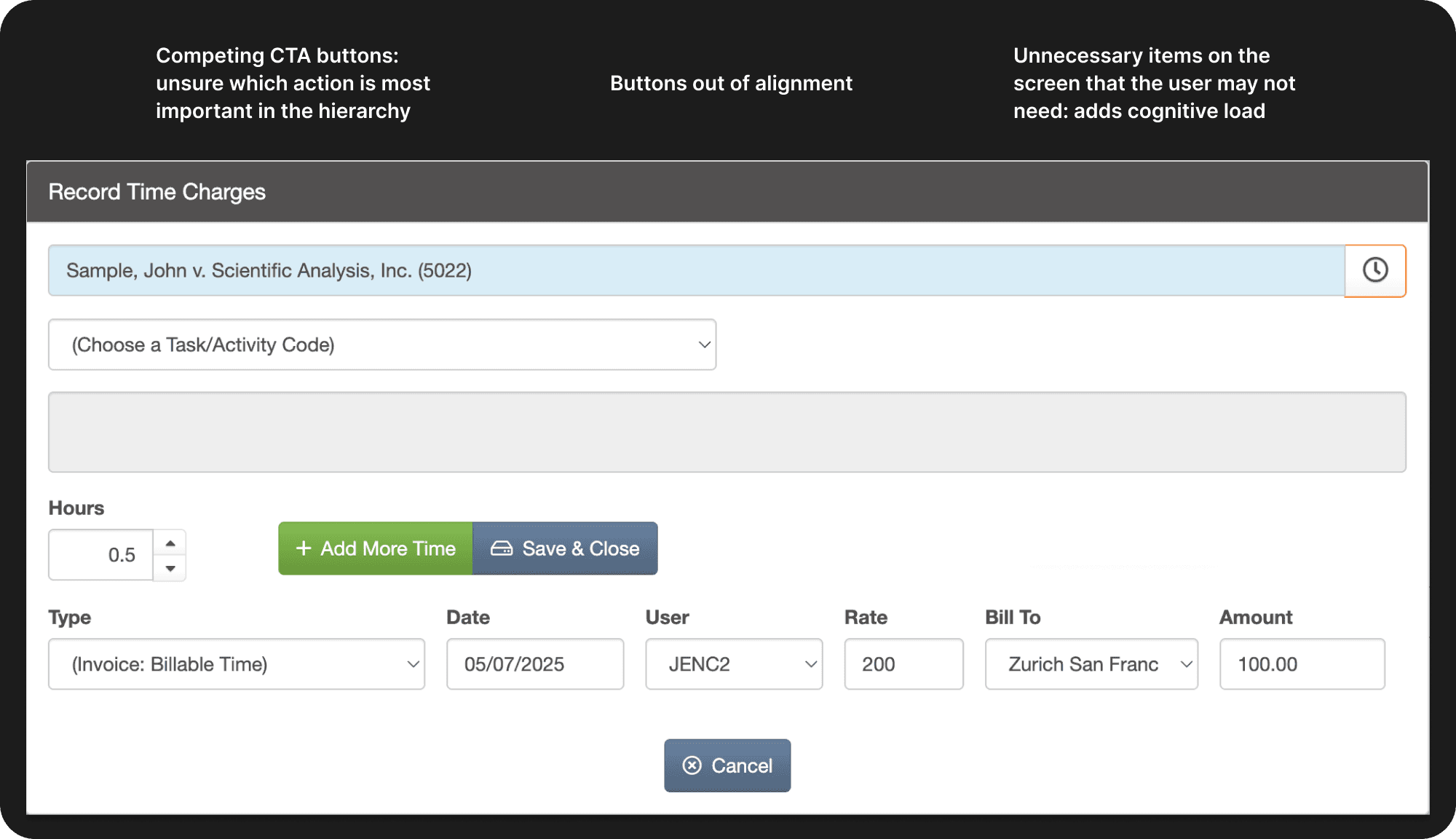
Below is the original modal for recording time in MerusCase. Attorneys need to enter their hours to quantify their work and get paid. This usually happens daily or weekly. They track the amount of hours spent on each case.
Before
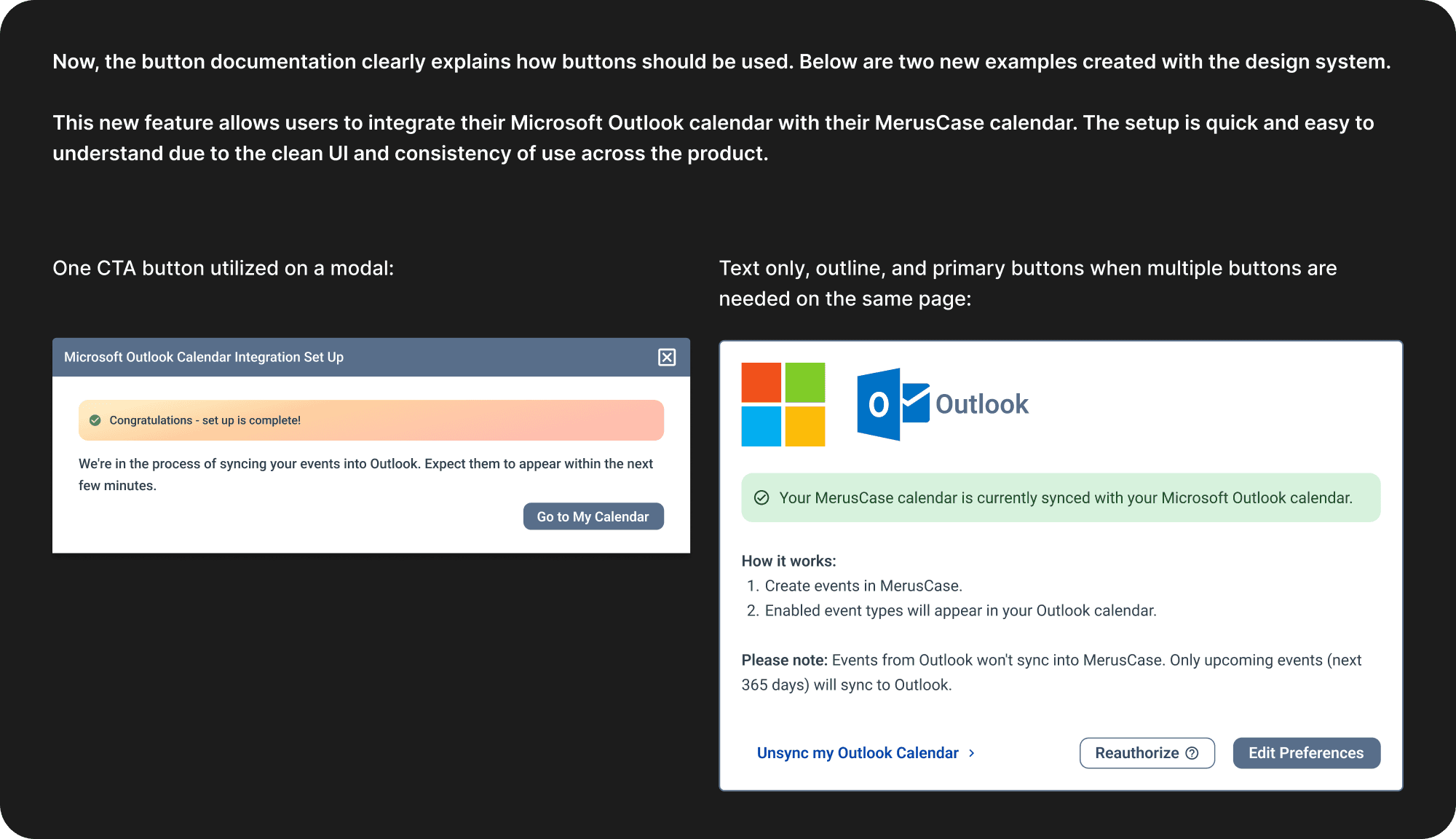
After
Style Exploration - Typography & Color
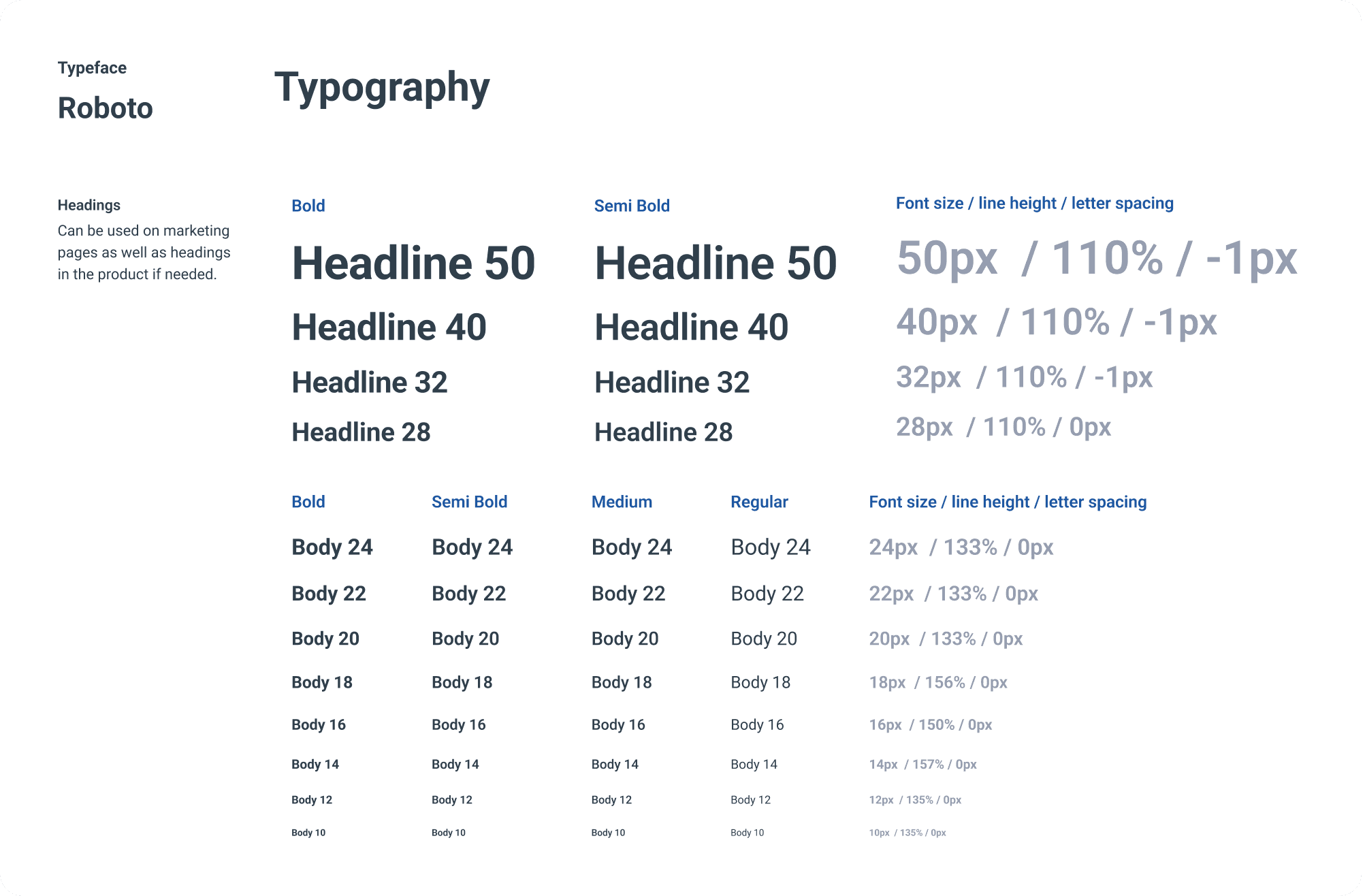
We chose to keep it simple and use Roboto since it was a free font available to us, and it was similar to the fonts already used in the product: Helvetica Neue, Helvetica, Arial.
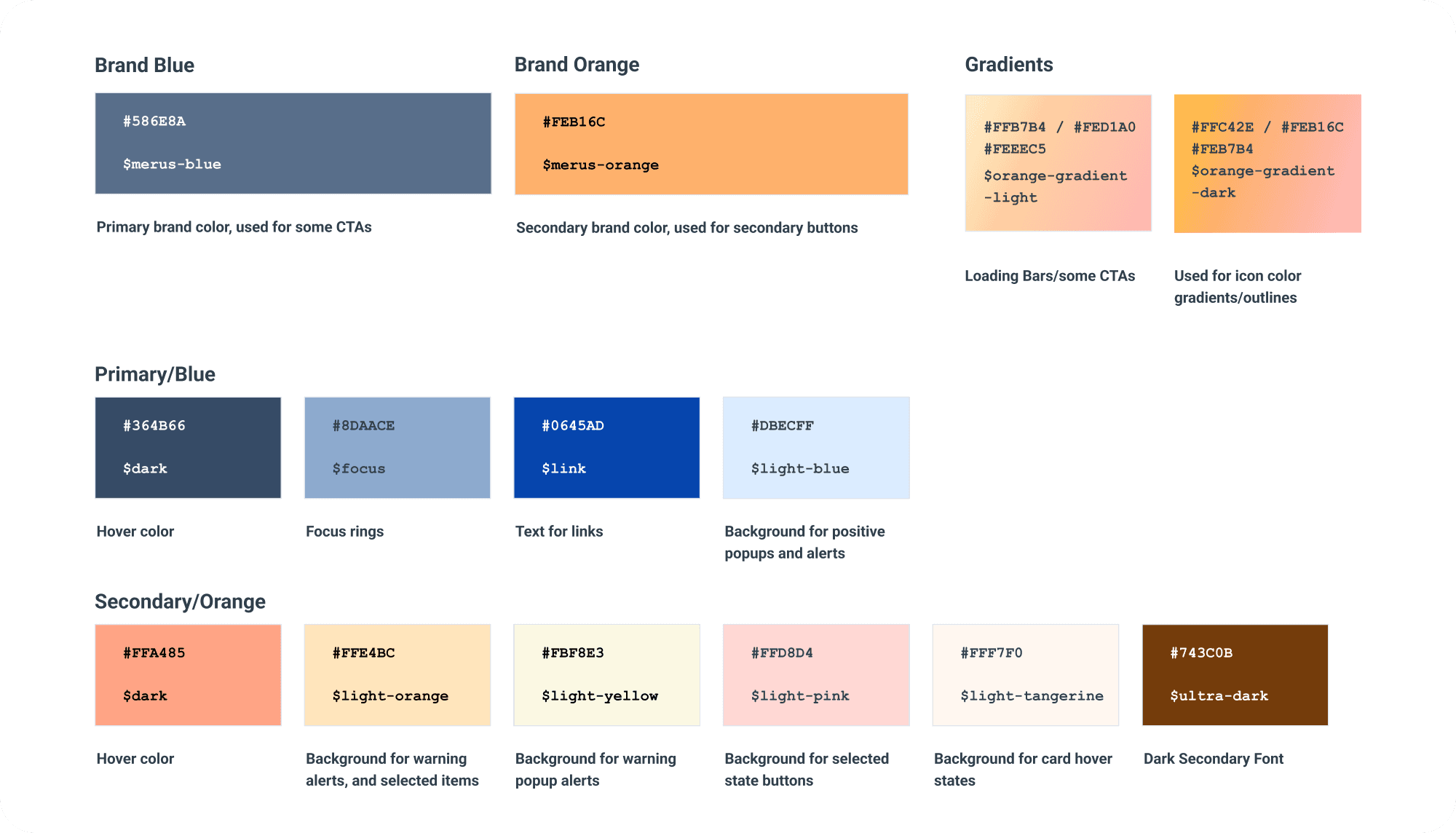
We kept the main brand color, “Merus Blue.” It was already used on marketing materials and it’s the most prevalent color. We still wanted MerusCase to feel like the same product, just more modern.
For the secondary orange color, we softened the original a bit, and created a gradient to use for certain actions. No gradients were used before in MerusCase.
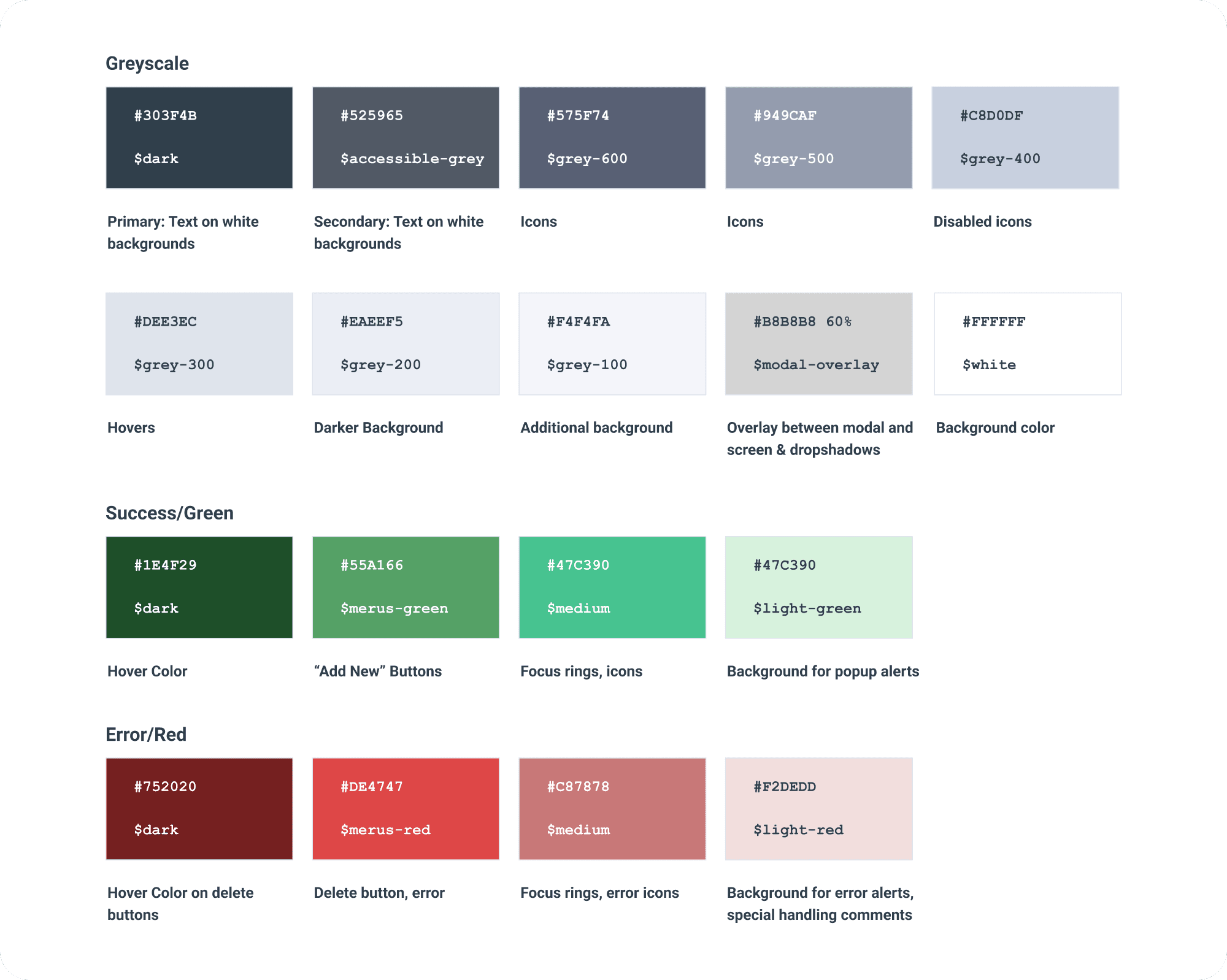
Other Colors
Blue - Primary brand color, main CTAs, links, information
Orange - Secondary color, secondary buttons, warnings
Green - Add/new buttons, success messages
Red - Delete buttons, error alerts
Gradient - Loading bars, special buttons, marketing materials
Accessibility
Color contrast was checked with the WebAIM contrast checker to meet WCAG standards.
I checked various combinations for light text on a dark background and dark text on a light background, etc.
Designing Components & Spacing
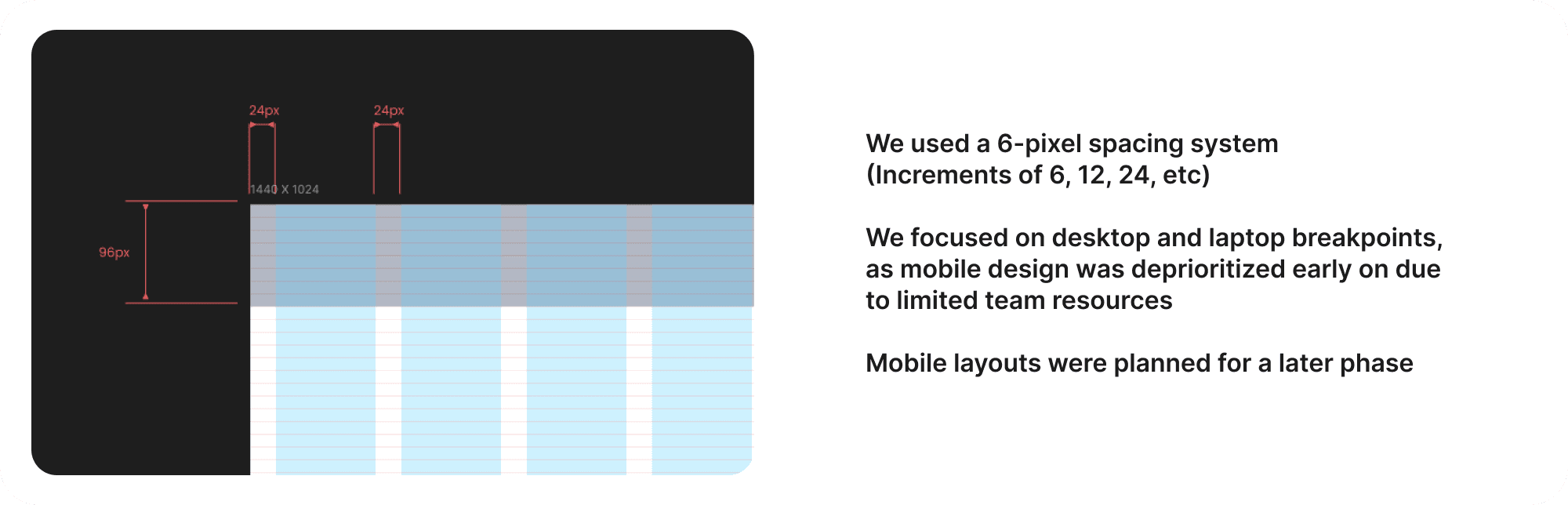
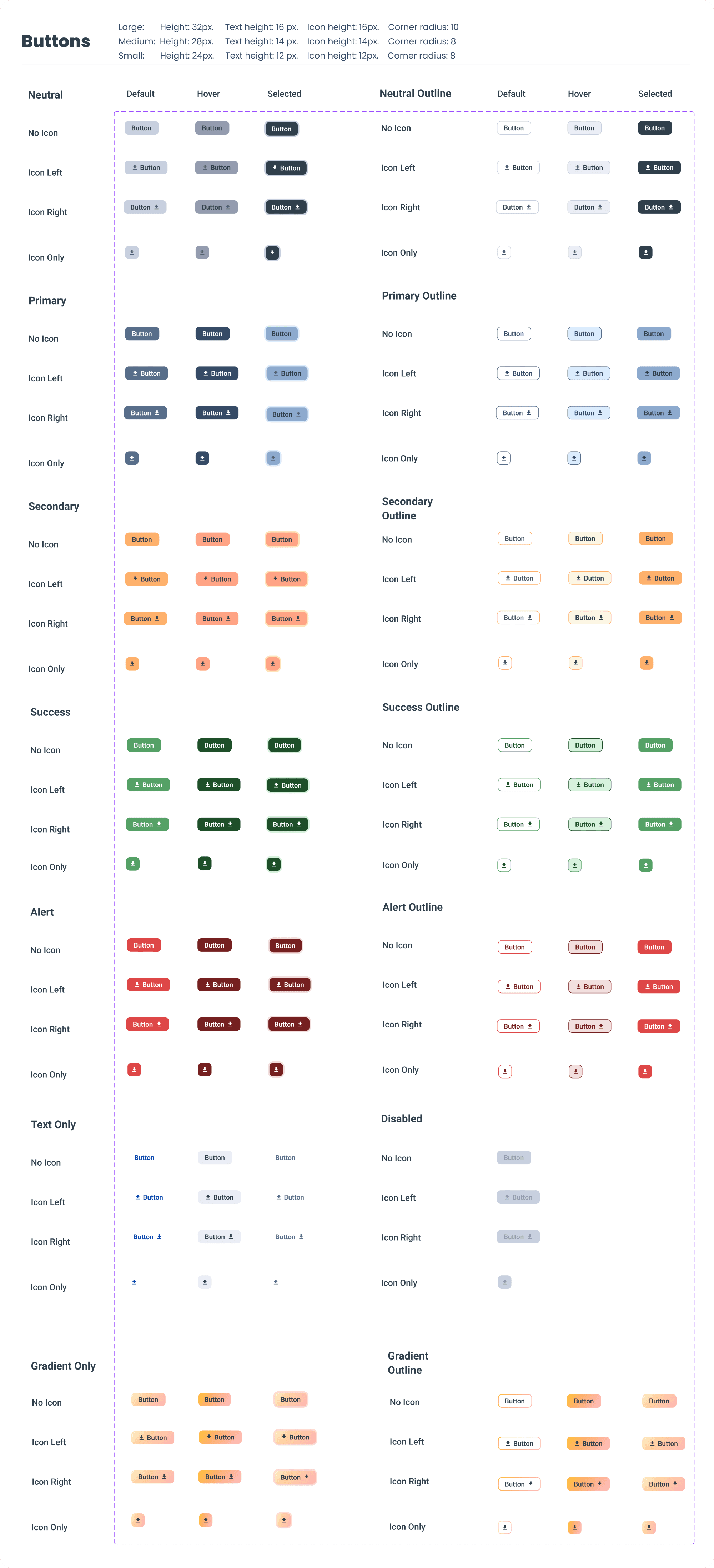
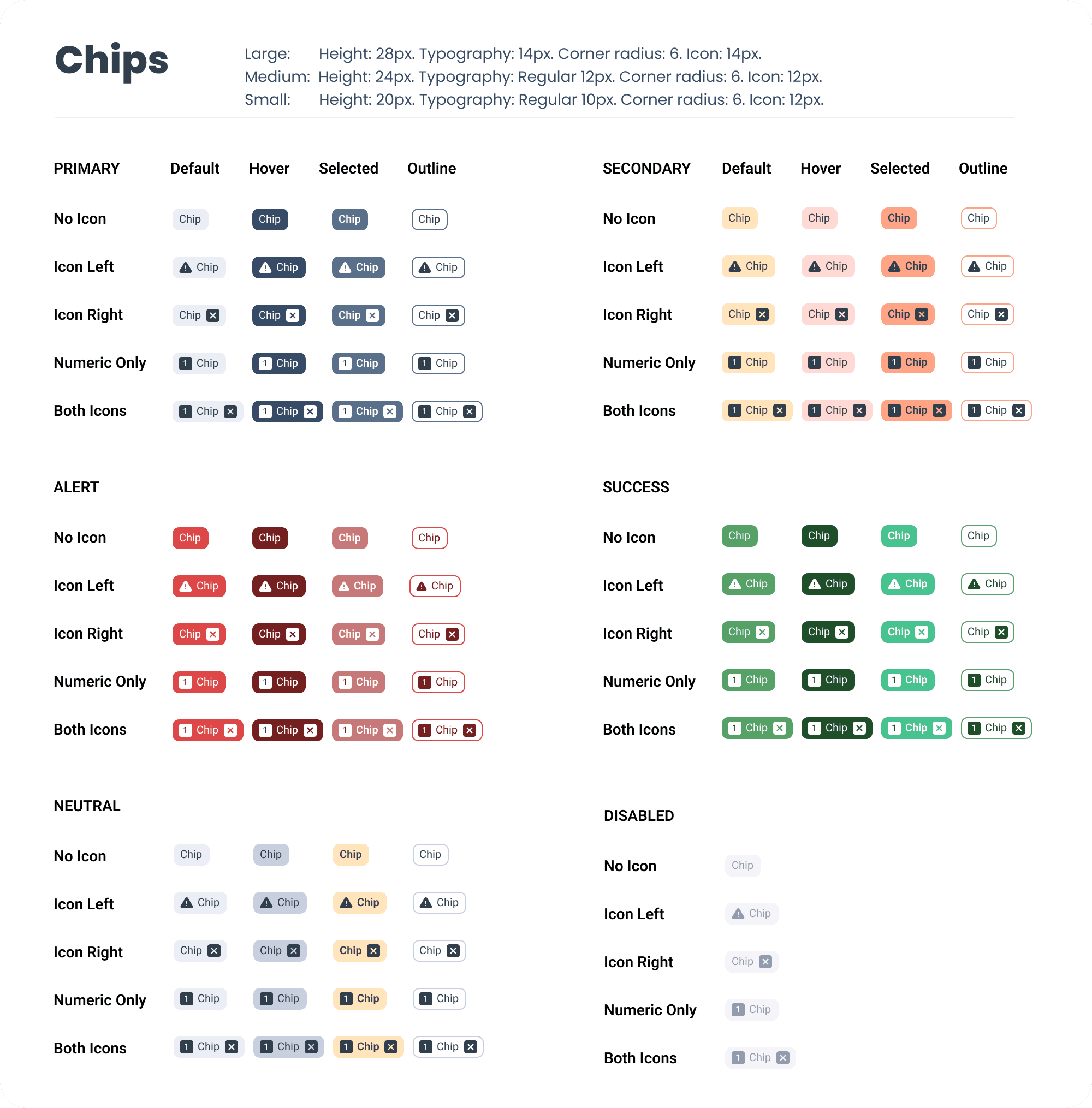
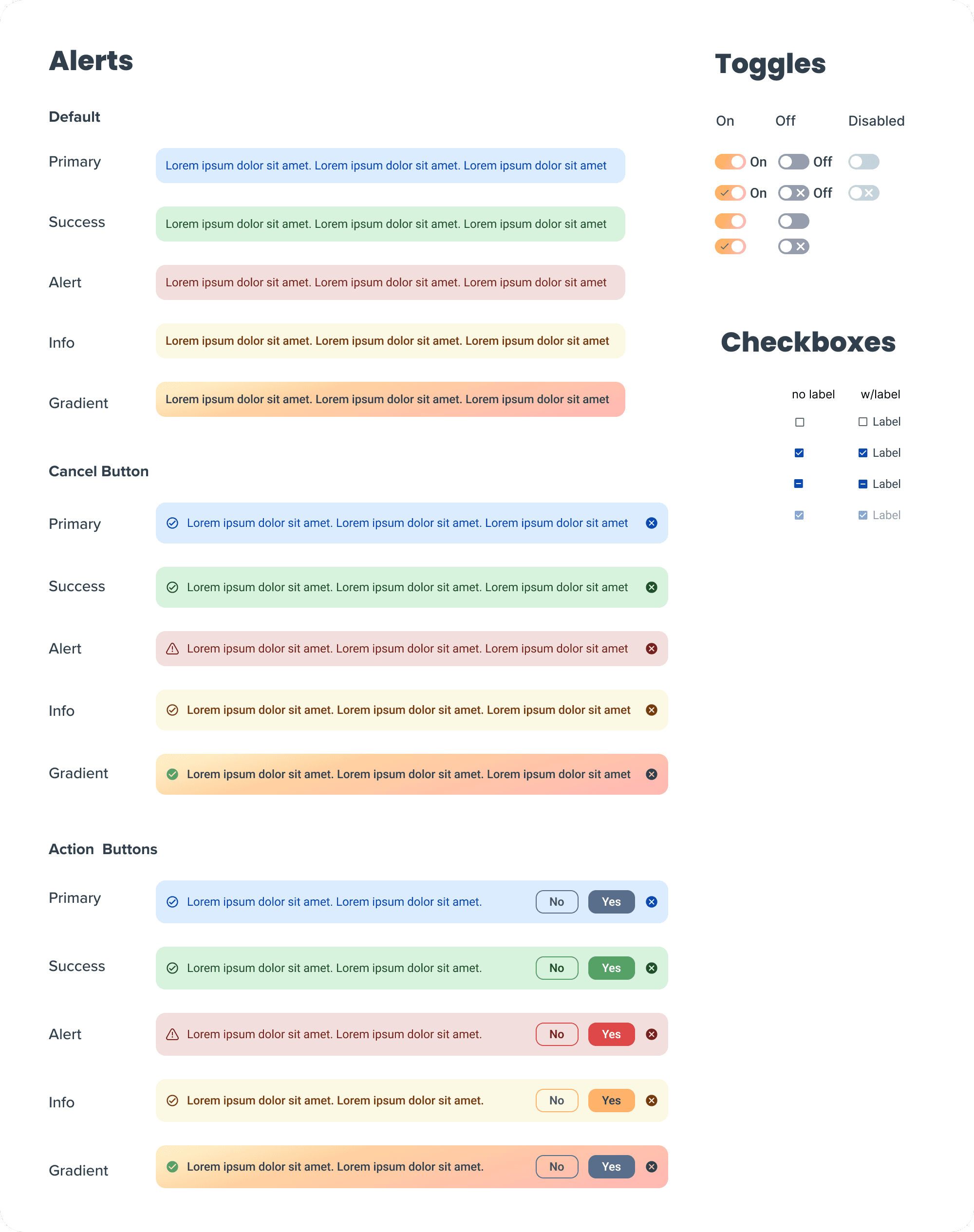
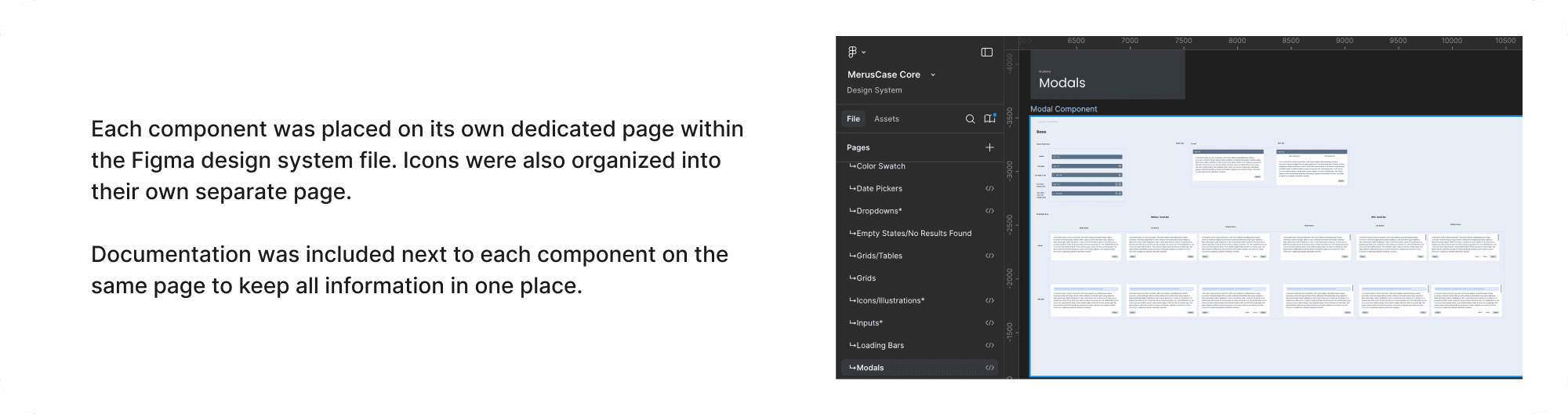
Organizing the Design System Figma File
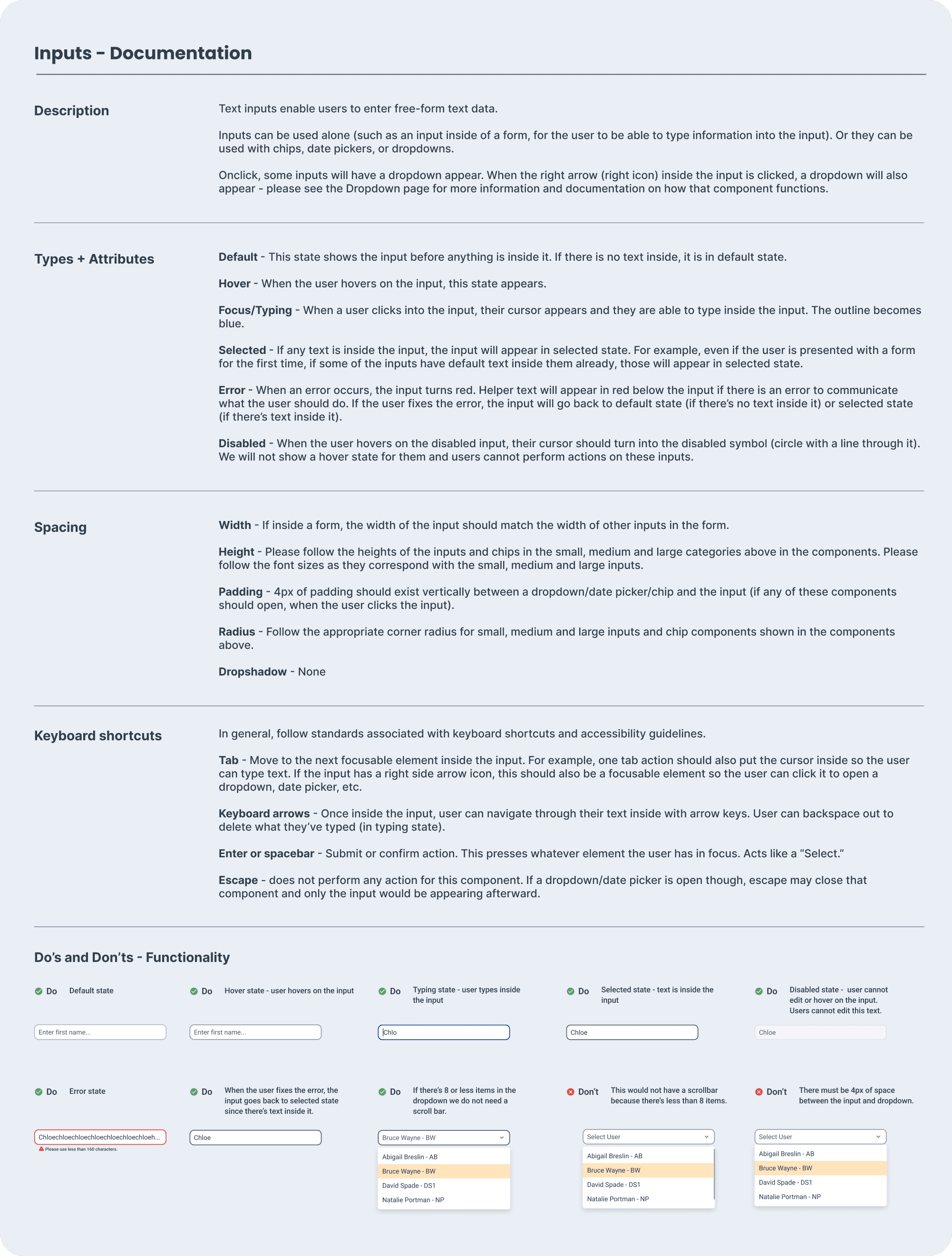
Documentation
Documentation Template
Together with the other designer, we created a template for documenting each component.
We collaborated with engineering to ensure it included their needs, and housed all documentation in Figma to keep it directly alongside the components for easy access.
Documentation Included:
Component description
Types, attributes, and interactive states (default, hover, error, disabled, etc.)
Spacing specs (padding, width, height)
Keyboard interactions (e.g. tab, arrow keys)
Do’s and Don’ts with visual examples
Impact and Results
Edexis Integration: A Design System Success Story
One of the first features built with our new design system was the Edexis integration– a third-party tool that enables document mailing and electronic court filing within MerusCase.
The project spanned 4 months from initial design to release. By leveraging the design system, the product team estimated we cut our time to market in half. Designing in Figma with reusable components accelerated the design and development processes.
As MerusCase is Edexis’ exclusive partner, we earn a percentage of the dollar amount per transaction, and 1,747 orders were submitted in the first month alone.
This feature achieved a 16.43% compound monthly growth rate in order volume within the first five months, yielding thousands of dollars in revenue.
Improved UI and Consistency
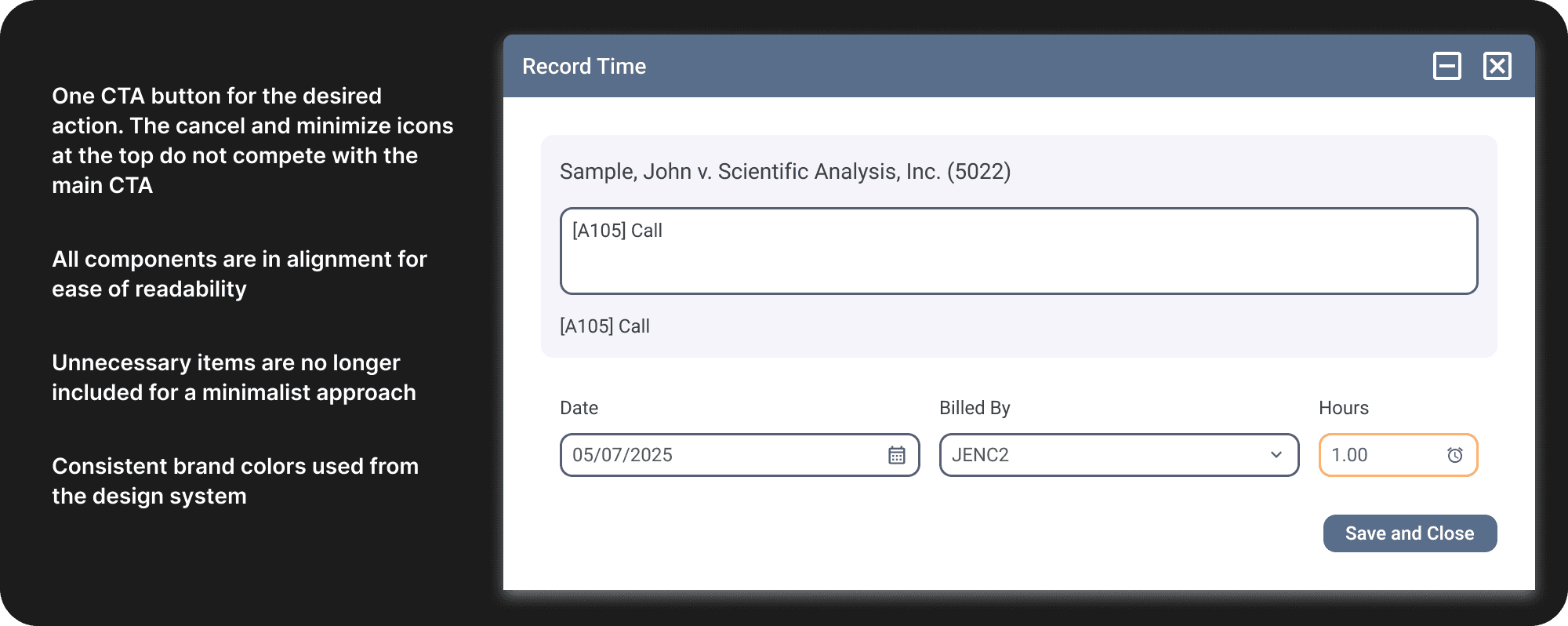
Implementing the design system also vastly improved the UI with new consistent standards and modern components.
Remember that example from before, with competing CTA buttons?
The UI was cluttered, confusing, and the user wasn't sure which button was most important.
Maintaining the Design System for the Future
Establish a review process for any proposed changes to component functionality, especially as the design team grows. Continue maintaining documentation.
Before creating a new component, evaluate whether an existing one can meet the need. If not, explore, validate, and document the new design.
Recommendation - assign one designer and one engineer as design system leads to oversee changes and ensure consistency.
Some components were launched as MVP versions to support faster development and unblock the building of new features. These will be iterated on and improved.
A dedicated Slack channel was created for collaboration and questions related to the design system.
Main Takeaways
This project deepened my understanding of component architecture and how individual elements work together as a cohesive system.
My role shifted afterwards to maintaining the design system and ensuring consistency in new features across the product.
It was fulfilling to lead the design system initiative, because the benefits will positively affect the company for many years to come, increasing consistency and ease of use.
I'm always happy to share insights– feel free to reach out with any questions about design system best practices.